
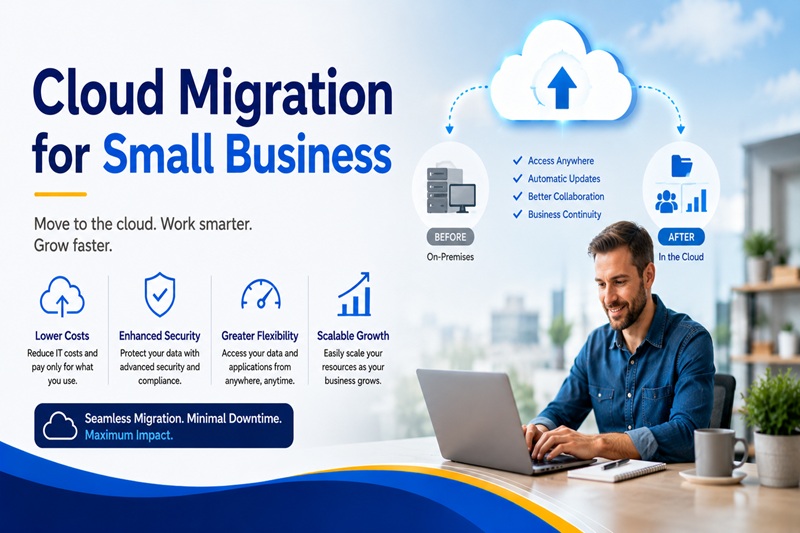
For years, cloud migration felt like something that happened at large enterprises with dedicated IT departments, six-figure technology budgets, and months of runway to plan a complex transition. Small businesses watched from the sidelines, running aging servers, managing local file shares, and patching together desktop-bound applications that increasingly struggled to keep pace with a world that had moved on without them. That dynamic has shifted fundamentally. In 2026, the fastest-growing segment of cloud adoption is not Fortune 500 companies. It is small businesses with five to two hundred employees that are finally making the move, and the reasons why have never been more compelling or the path forward more accessible.
The global cloud computing market has surpassed $830 billion in 2026, and a 2025 Flexera survey found that 94 percent of organizations already use at least one cloud service. Small businesses that remain on legacy infrastructure are not simply missing out on efficiency gains. They are taking on increasing operational, security, and competitive risk every quarter they delay.
Why 2026 Is the Year Small Businesses Cannot Afford to Wait
The economics of on-premises infrastructure have moved decisively against small businesses. The cost of purchasing and maintaining physical servers has risen roughly 25 percent since 2022 due to supply chain disruptions, semiconductor pricing, and rising energy costs. Meanwhile, cloud pricing has moved in the opposite direction. AWS, Microsoft Azure, and Google Cloud have all introduced aggressive pricing tiers, startup credit programs, and consumption-based models that eliminate the need for capital-intensive hardware purchases.
The cybersecurity argument is equally urgent. According to Verizon’s 2025 Data Breach Investigations Report, 43 percent of cyberattacks now target small businesses, and the average cost of a breach for a company with under 500 employees exceeds $150,000. Small businesses running on-premises servers rarely have the resources to maintain enterprise-grade firewalls, intrusion detection systems, consistent patch management, and round-the-clock monitoring. The major cloud providers invest billions annually in security infrastructure that no small business could independently replicate. Moving to the cloud is not just an operational decision. It is a security decision.
Beyond cost and security, the software ecosystem has simply moved to the cloud. The applications that small businesses depend on for CRM, accounting, project management, communication, and marketing automation are now cloud-native by design. Running them alongside aging on-premises infrastructure creates integration problems, compatibility friction, and administrative overhead that consumes time and staff attention that should be going toward the business itself.
Understanding the Types of Cloud Migration
Before a small business can plan a migration, it is important to understand the spectrum of approaches available, each with meaningfully different implications for cost, timeline, complexity, and long-term flexibility.
The lift and shift approach, also called rehosting, moves existing applications and data to the cloud with minimal modification. This is the fastest and cheapest approach upfront, with costs ranging from roughly $3,000 to $8,000 per workload using free migration tools from the major providers. The limitation is that a lift and shift migration captures the speed and reliability benefits of cloud infrastructure but does not take full advantage of cloud-native capabilities like auto-scaling, managed services, or serverless architecture. For a small business that simply needs to get off aging hardware quickly, lift and shift is often the right starting point.
Replatforming makes targeted optimizations during the migration, moving workloads to managed cloud services without a full rebuild. A database might be moved to a fully managed cloud database service rather than running on a virtual machine, for example. This middle approach captures more of the operational and cost benefits of cloud-native services while avoiding the time and expense of a complete architectural overhaul.
Refactoring, also called rebuilding, reconstructs applications from the ground up to be genuinely cloud-native, using microservices, containers, and serverless architecture. This is the most expensive and time-consuming approach but produces the lowest ongoing costs and highest scalability over a three to five year horizon. For most small businesses in 2026, refactoring is not the right first step. A phased strategy that starts with lift and shift for critical systems and progressively optimizes toward cloud-native architecture as the team builds confidence and capability is the approach most likely to succeed.
Choosing Between AWS, Azure, and Google Cloud
The three dominant cloud platforms each have distinct strengths, pricing structures, and ecosystem characteristics that make one a better fit than another depending on a small business’s specific situation.
Amazon Web Services is the market leader by a wide margin, offering the broadest service catalog, the most mature ecosystem of third-party integrations, and the most extensive documentation and community support. AWS is particularly strong for businesses that need flexibility and access to a wide range of specialized services. Its pricing can be complex to optimize, but tools like AWS Cost Explorer and the AWS Activate program for startups provide meaningful support for smaller organizations.
Microsoft Azure is the natural choice for businesses already running Microsoft 365, Windows Server workloads, or applications built on the Microsoft stack. Azure’s deep integration with tools that many small businesses already use, including Teams, SharePoint, and SQL Server, reduces migration friction significantly and often produces faster time to value than migrating to a less familiar ecosystem. Azure’s FastTrack program provides free migration guidance for qualifying businesses.
Google Cloud Platform offers strong capabilities in data analytics, machine learning, and container workloads, and its pricing is often competitive for businesses with significant data processing requirements. Google Workspace integration is a natural fit for businesses already in the Google ecosystem.
As Google Cloud’s migration guidance for businesses illustrates, the right platform decision depends less on which provider is objectively superior and more on which ecosystem aligns with the tools your business already uses, the type of workloads you are moving, and the long-term capabilities you need to access.
A Practical Step-by-Step Migration Approach for Small Businesses
Planning matters more than execution speed in cloud migration. The businesses that experience unnecessary downtime, security gaps, and cost overruns during migration are almost always those that rushed the process or attempted to migrate everything at once without a structured plan.
The first step is an honest inventory and assessment of what you currently have. Document every application, database, and system your business depends on. Identify which are business-critical and which are secondary. Assess which are already cloud-compatible, which will require configuration adjustments, and which may need to be replaced with modern cloud-native alternatives entirely.
The second step is defining your migration goals clearly before choosing tools or providers. Are you primarily trying to reduce IT maintenance costs? Improve remote work capabilities? Strengthen security? Enable faster scaling? Different goals lead to different migration strategies and different platform choices. Without clear goals, it is impossible to measure whether the migration succeeded.
The third step is to migrate in phases starting with lower-risk, non-critical systems. This approach lets your team build familiarity with the new environment, identify unexpected issues, and correct course before the stakes are higher. Email and collaboration tools, backup systems, and file storage are typically good starting points. Core business applications and databases come later once the team has confidence in the process.
Security configuration should be addressed before, during, and after migration rather than treated as a single phase. Every cloud account needs multi-factor authentication enabled, access permissions set to minimum necessary levels, data encrypted both at rest and in transit, and network security controls configured before any sensitive data moves to the new environment.
The final step is post-migration optimization. Cloud costs do not manage themselves. Unused resources left running, oversized virtual machines, and unmonitored storage consumption are the most common sources of unexpected cloud bills. Establishing monitoring and alerting from day one, reviewing resource utilization monthly, and taking advantage of reserved pricing for workloads with predictable usage are habits that prevent the cloud from costing more than the infrastructure it replaced.
The Real Costs and Savings to Expect
Small businesses considering cloud migration need realistic financial expectations rather than marketing projections. Migration costs for a small business with five to ten servers typically range from $15,000 to $50,000 when including labor, data transfer, any necessary software updates, and staff training. Businesses that work with a managed service provider or cloud migration specialist rather than attempting an entirely internal migration tend to see better outcomes and fewer costly surprises.
On the savings side, IDC research estimates that organizations see average IT cost reductions of 20 to 30 percent after migrating workloads to the cloud. Companies on the cloud report 43 percent faster time to market and 51 percent better system availability compared to on-premises infrastructure. The reduction in hardware refresh cycles, maintenance contracts, power and cooling costs, and the staff time previously consumed by server management all contribute to a return on investment that typically materializes within 18 to 24 months for a well-executed small business migration.
When Not to Migrate Everything at Once
Cloud migration is not all or nothing, and for most small businesses, a hybrid approach that moves appropriate workloads to the cloud while retaining certain systems on-premises is both acceptable and sensible. Businesses with regulatory requirements mandating specific data residency, those with specialized legacy applications that lack viable cloud equivalents, or those operating in areas with unreliable internet connectivity should assess each workload on its merits rather than adopting a blanket cloud-first mandate.
The goal is not to be in the cloud. The goal is to run a more efficient, more secure, and more scalable business. For most small businesses in 2026, cloud migration is the most direct path to that outcome. The question is no longer whether to make the move but how to make it thoughtfully enough that the results justify the effort.
